Your Google Business Profile Is the Highest-ROI Free Thing You're Not Using
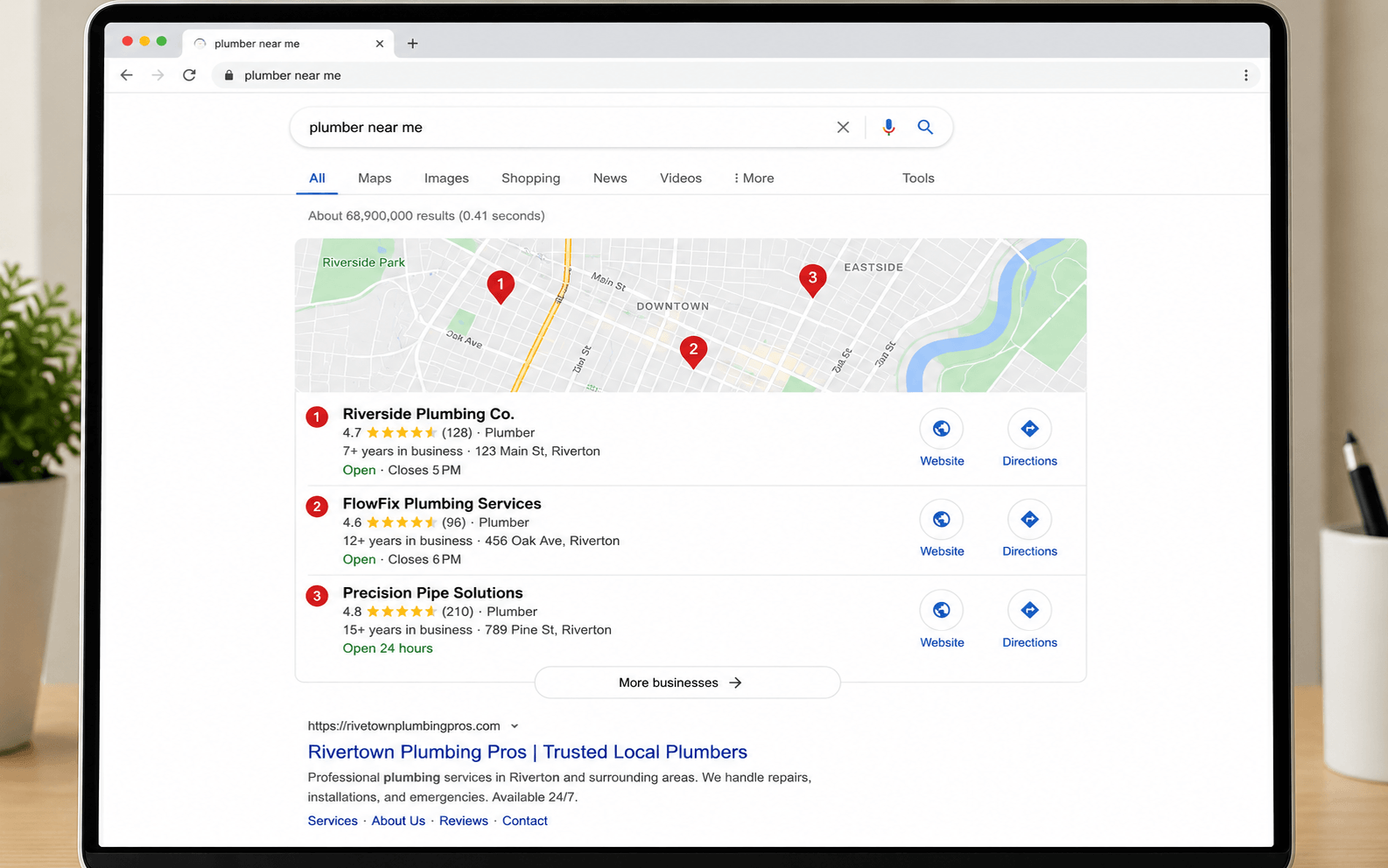
When someone nearby searches for what you do, Google shows a map with three businesses. A claimed, complete profile is how you become one of them. It costs nothing, most owners never finish theirs, and an unclaimed listing for your business may already exist, collecting reviews you can't answer. This page shows you exactly how to claim it, complete it, and keep it winning.
- Strangers can suggest edits to your hours and info
- Reviews pile up on a profile you don't control
- Competitors with complete profiles outrank you
- The customer calls someone else.
- You control your name, hours, photos, and answers
- You show up in the map pack and "near me" searches
- Reviews become a ranking asset you respond to
- The customer calls you.
What Is a Google Business Profile and Why Does It Matter?
A Google Business Profile is the free listing that shows your business on Google Search and Google Maps: your name, hours, phone, photos, reviews, and directions. For local searches, it usually appears above regular website results. For many small businesses, it drives more calls than the website does.
Here's the part most owners miss: the listing often exists whether you created it or not. Google builds profiles from public data. Until you claim yours, anyone can suggest edits to it, reviews land on it without a way for you to respond, and a competitor with a claimed, complete profile will sit above you in the map results.
The consequence is concrete. A customer searches, sees a listing with wrong hours or no photos, and books the business one result down. You never know the call existed.
How Do I Claim and Set Up My Google Business Profile?
Search for your listing, claim it, verify it, then complete every field. Here's the whole process. Budget about 45 minutes.
Search for an existing listing
Search Google and Google Maps for your business name plus your city. If a listing appears with an "Own this business?" link, Google already has a profile for you. Find yours before someone else shapes it.
Claim it or create a new one
Click "Own this business?" on the existing listing, or go to google.com/business and add your business. Use your real business name exactly as it appears on your signage, with no extra keywords.
Verify your business
Google confirms ownership by postcard, phone, email, or a short video walkthrough. Video is now the most common method for service businesses and often finishes the same day. Postcards take 5 to 14 days.
Choose your categories
Pick the single most specific primary category for what you do, then add secondary categories for other services. The primary category is one of the strongest ranking signals you control.
Set your service area and hours
Add your address, or hide it and list the areas you serve. Enter accurate hours, including holiday hours. Wrong hours cost you customers and hurt trust.
Write your description and add attributes
Use the 750-character description to say what you do, where, and for whom, in the words customers actually search. Turn on every attribute that applies, like free estimates or wheelchair accessible.
Add services, products, and photos
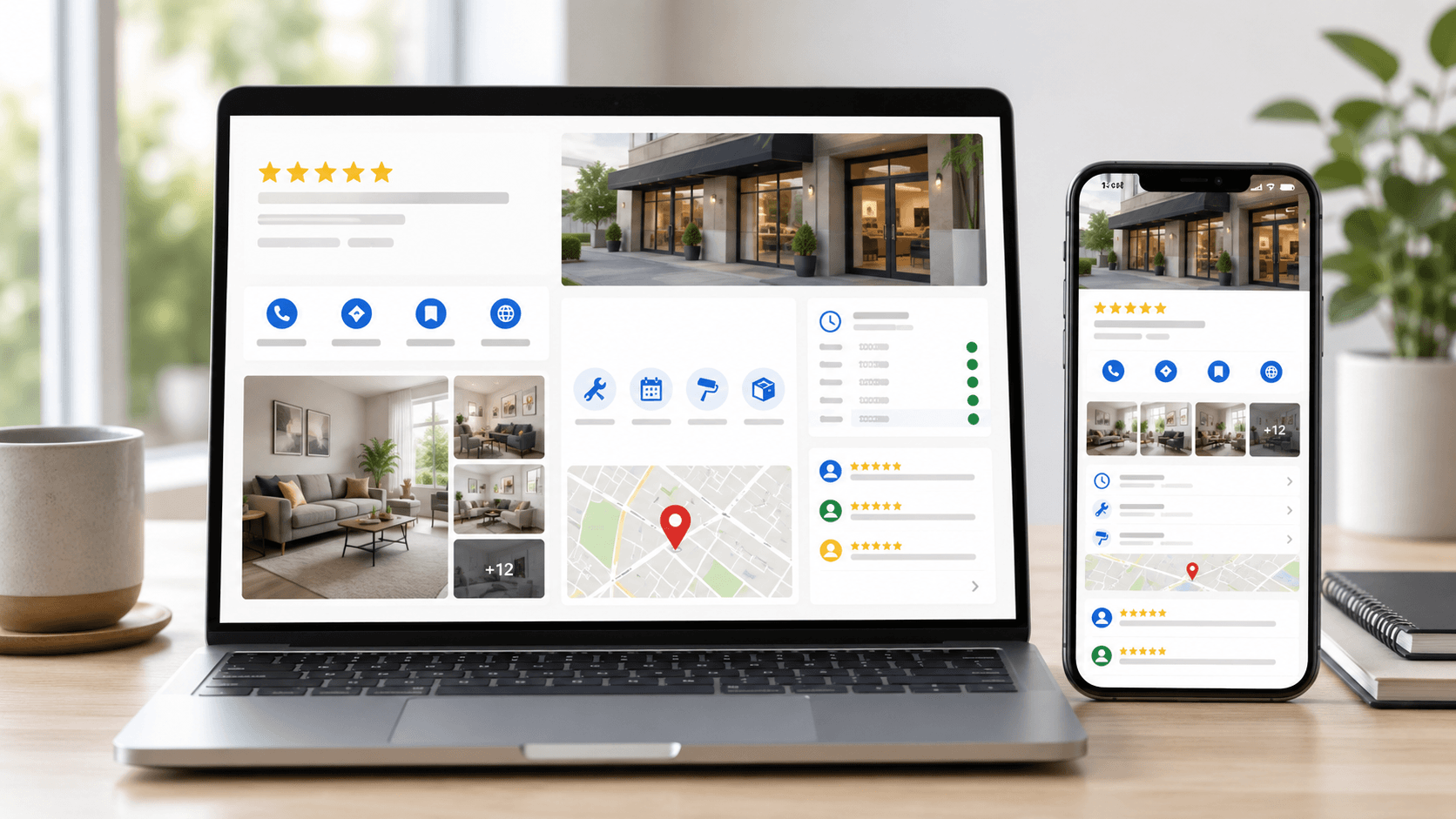
List every service with a short description and price range where possible, add products if you sell them, and upload real photos: exterior, interior, your team, your work. Profiles with photos get more direction requests and more calls than profiles without them. Phone photos are fine. Stock photos are not.
How Do I Keep My Profile Working After Setup?
Fifteen minutes a week. A stale profile slides down the rankings the same way a stale menu empties a restaurant.
Offers, jobs completed, seasonal reminders. Posts expire from the main view, so a steady drip beats an occasional burst.
New photos signal an active business to Google and to customers deciding between you and the next listing.
Anyone can ask a question on your profile, and anyone can answer it. Post the five questions customers always ask, and answer them yourself before a stranger does.
Holidays, vacations, weather closures. "Open" on Google and locked doors in person is how one-star reviews start.
Every service edit is a fresh signal. Add new offerings the week you launch them.
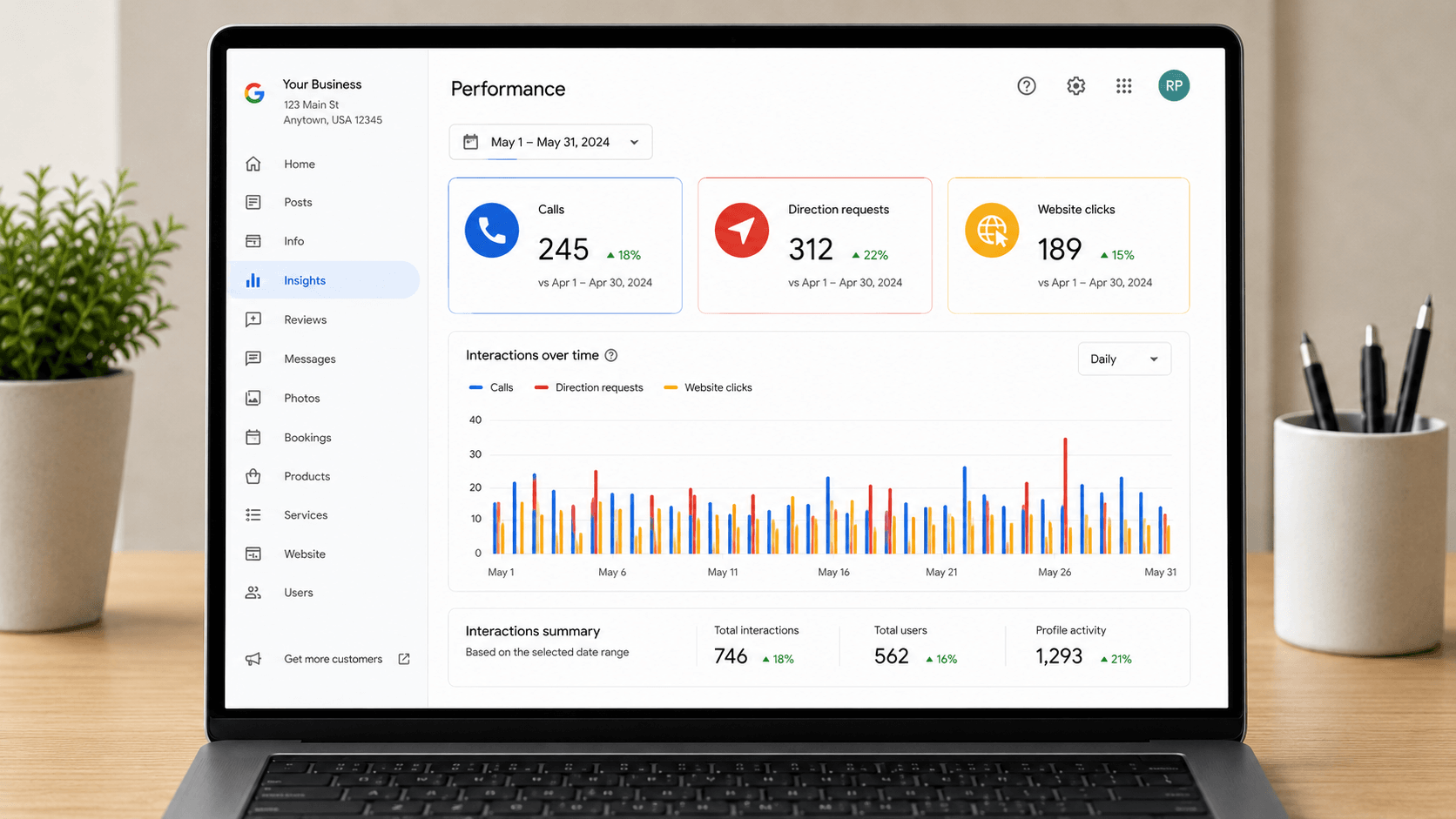
It shows the searches that found you, plus calls, direction requests, and website clicks, so you can see what's actually working.
How Do Reviews Affect My Ranking, and How Do I Get More?
Three things about reviews move your ranking: how many you have, how recently they arrived, and the words inside them. When a customer writes "best drain cleaning in Avondale," that review helps you rank for drain cleaning in Avondale.
How to ask without breaking Google's rules: ask every customer, right after the job, with a direct link to your review form. Don't pay for reviews, don't trade discounts for them, and don't ask only your happy customers while steering unhappy ones elsewhere. Google calls that review gating and removes reviews for it.
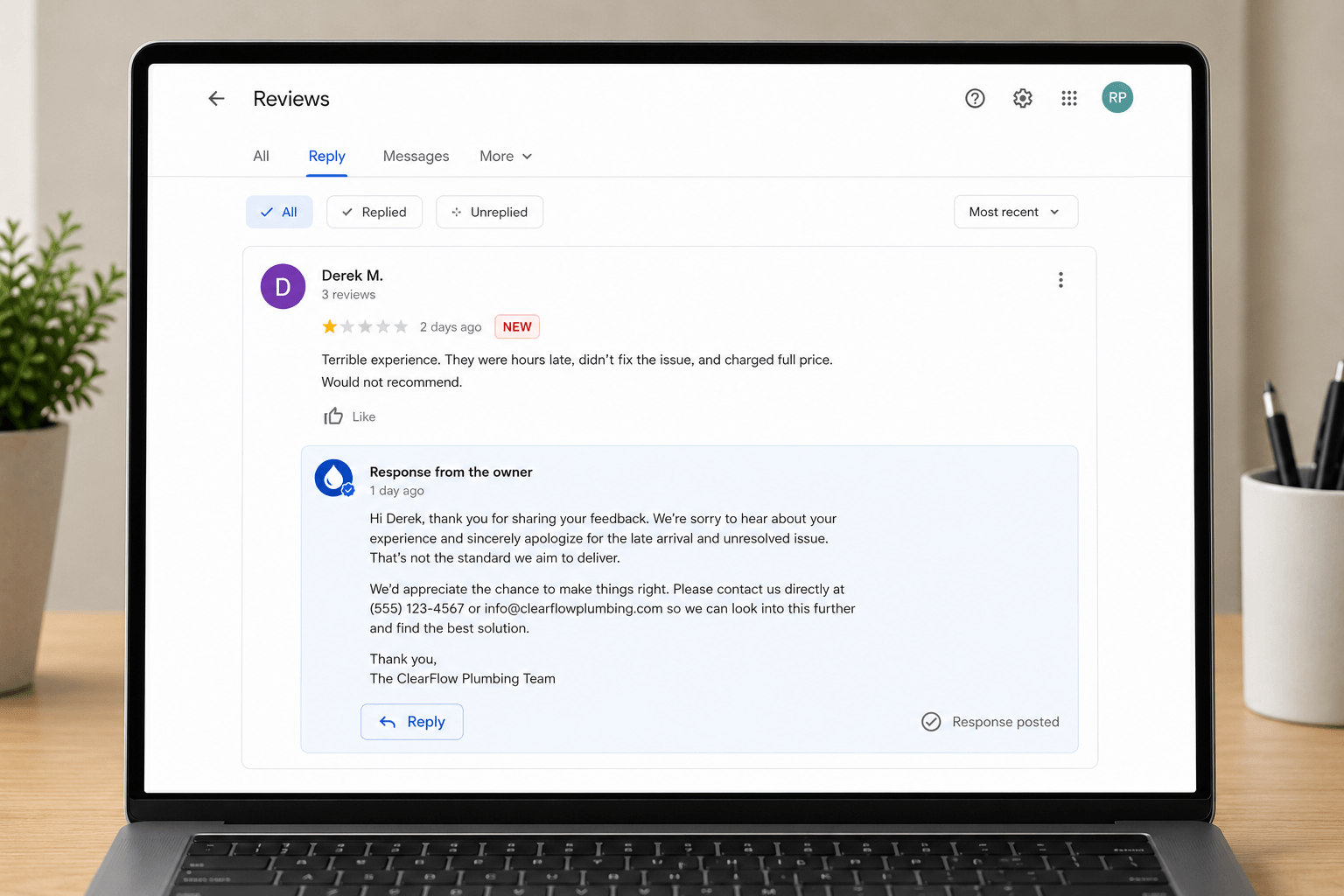
Respond to every review, especially the bad ones. A calm, specific reply to a negative review is read by hundreds of future customers deciding whether to trust you. Thank them, address the issue, take it offline. Future readers are your real audience.
What Do Most Owners Miss That Attracts More Customers?
A claimed profile gets you on the field. These six moves are how you win on it.
Let customers text you from the profile. Fast replies win jobs, and Google shows your typical response time.
Connect your scheduler so customers book straight from Google. Bonus: when Google's systems can book you online, they don't need to call around.
At minimum, check the Performance tab's call counts monthly. A tracking number in the profile (with your real number as the secondary) shows exactly which jobs Google sent you.
The Posts section puts your offer directly in search results, in the spot other businesses pay for. Use it like a billboard you own.
Your name, address, and phone should read identically on your website, Yelp, Facebook, and directories. Consistent info (called NAP consistency) tells Google you're one real, established business.
"Family dentist in Litchfield Park offering same-day crowns" beats "premier provider of dental excellence." Use the words customers type.
Why Your Profile Now Decides What A.I. Tells People About You
When someone asks an A.I. assistant to find a plumber, a dentist, or a Saturday massage appointment, the assistant reads business profiles to build its answer. Complete, accurate, well-reviewed profiles get recommended. Thin ones get skipped. Your profile has quietly become your resume with the machines doing the referring.
It goes further. Google's A.I. can now call and book with local businesses on a searcher's behalf, and it works from profile data first: your services, your hours, your booking link. A complete profile means Google can book you instantly. An incomplete one means the A.I. calls around, and if your line goes unanswered, it moves to the next business on the list.
Keeping your profile current isn't housekeeping anymore. It's how you stay recommendable.
What Are the Most Common Google Business Profile Mistakes?
Stuffing keywords into your name
"Joe's Plumbing | Best Emergency Plumber Phoenix AZ 24/7" violates Google's rules and gets profiles suspended. Your name is your name.
Choosing the wrong categories
A "restaurant" primary category when you're a caterer puts you in the wrong search results. Specific beats broad every time.
Leaving duplicate listings alive
Two profiles split your reviews and confuse Google about which is real. Find duplicates and merge or remove them.
Using a fake or virtual address
A P.O. box or virtual office to fake a location is the fastest route to suspension. Service-area businesses should hide the address instead.
Ignoring the Q&A section
Customers ask questions on your profile whether you look or not, and anyone can answer them. Unwatched Q&A becomes misinformation with your name on it.
Letting hours go stale
Closed for a holiday your profile doesn't know about? That customer standing at your locked door is writing your next review.
Google Business Profile Questions, Answered Straight
Is a Google Business Profile really free?
Yes, completely free. Creating, claiming, verifying, and managing your profile costs nothing. Anyone who calls offering to "activate" or "unlock" your listing for a fee is selling you something Google gives away.
What if someone else already claimed my business?
Request ownership. Open the profile, click "Own this business?" or "Claim this business," and Google will contact the current owner. If they don't respond within about 3 days, you can usually verify and take over. This happens often with old employees, past marketing agencies, and previous owners.
Do I need a physical address to have a profile?
No. Service-area businesses like plumbers, cleaners, and mobile notaries can hide their address and list the areas they serve instead. What you can't do is use a fake address, a P.O. box, or a virtual office to pretend you're somewhere you're not. Google suspends profiles for that.
How long does verification take?
Video and phone verification often finish the same day. Postcard verification takes about 5 to 14 days. If Google asks for a video walkthrough, film your signage, your workspace, and something that proves you run the business, like unlocking the door or equipment with your logo.
How often should I post to my profile?
Once a week is a strong rhythm, and once a month is the minimum before a profile starts to look stale. Posts expire from the main view, so a steady drip beats an occasional burst. Add new photos monthly and check the Q&A section whenever you post.
How long until a claimed profile starts bringing in customers?
Expect movement in weeks, not hours. A newly completed profile typically starts appearing for more searches within 2 to 6 weeks, and reviews compound from there. The profile's Performance tab shows you calls, direction requests, and website clicks so you can watch it happen.
Want It Done Right, Without Doing It Yourself?
We claim, verify, and fully build out Google Business Profiles for our clients as part of onboarding: categories, services, photos, review strategy, and the booking and structured-data connections that let Google and A.I. assistants recommend you automatically. You run the business. We make sure Google knows it.
We reply within one business day, Mon-Fri 9am-5pm.